This window allows you to see and manage all the activities related to the bowling games, to the time games and to the orders.
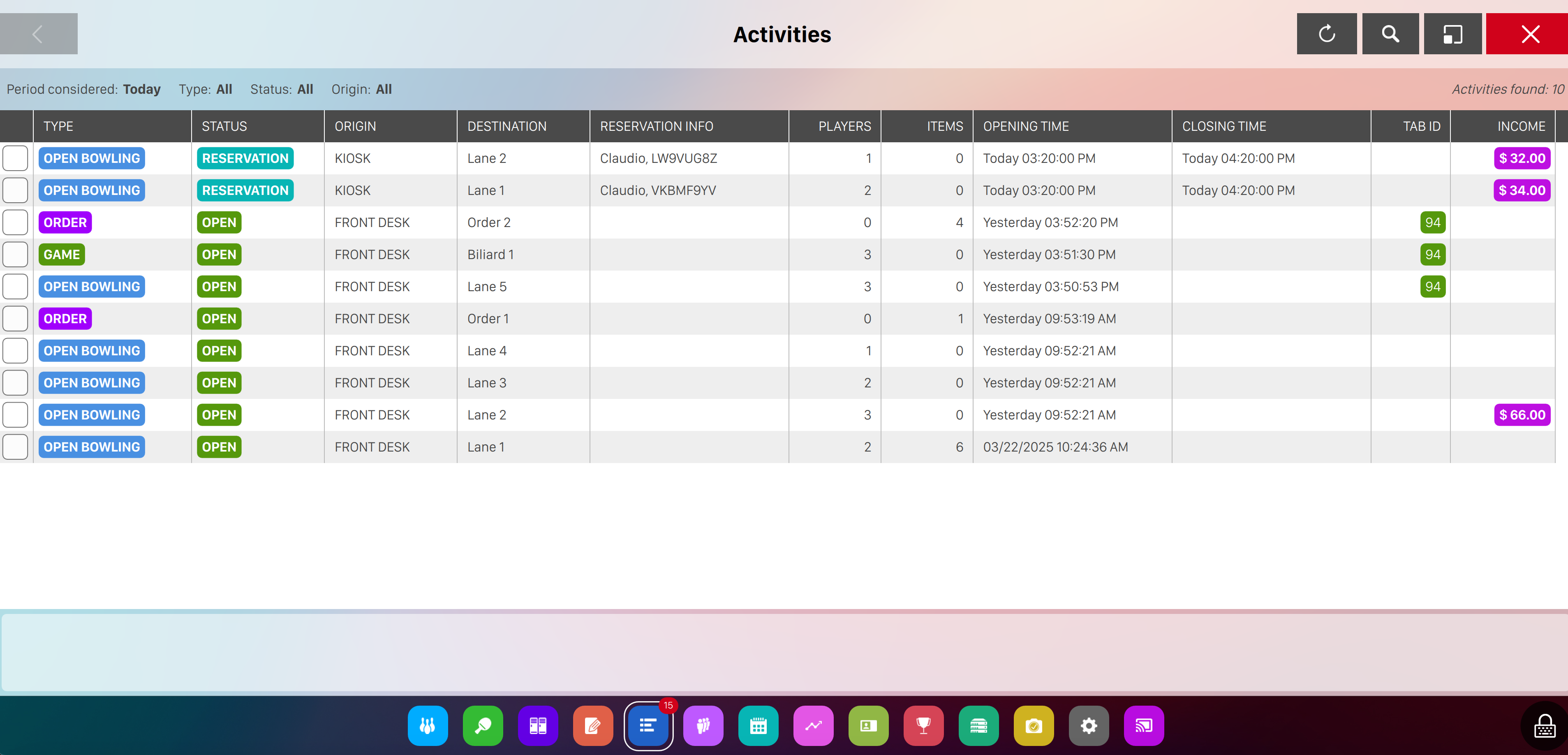
Activities are shown on a table:
-
The checkbox allows you to check / uncheck the selected row. If at least one row is checked then the you will see the list of actions that can be performed on the selected item just below the table
-
Type: identify the type of the activity, which can be one of the following:
-
Bowling: activities related to bowling games
-
Games: activities related to time games
-
Orders: activities related to orders
-
-
Status: indicates the state of the activity, which can be one of the following:
-
Open: indicates that the activity is open
-
Closed: indicates that the activity is closed and has not been collected yet
-
Archived: indicates that the activity has been archived
-
Waiting list: indicates that the activity is on the waiting list
-
Reservation: indicates that the activityt is related to a reservation
-
Cancelled: indicates that the activity has been cancelled
-
-
Origin: indicates the source where the activity has been created from:
-
Destination: indicates the resource which the activity is related
-
Reservation info: indicates the information about the related reservation, if any
-
Players: indicates the number of players involved on the activity
-
Items: indicates the amount of items involved on the activity
-
Opening time: indicates the date and time of when the activity has been started
-
Closing time: indicates the date and time of when the activity has been closed
-
Tab Id: indicates the Tab id if that activity is linked to a Customer Tab
-
Income: shows the amount of money collected with the activity
9.1 Filters
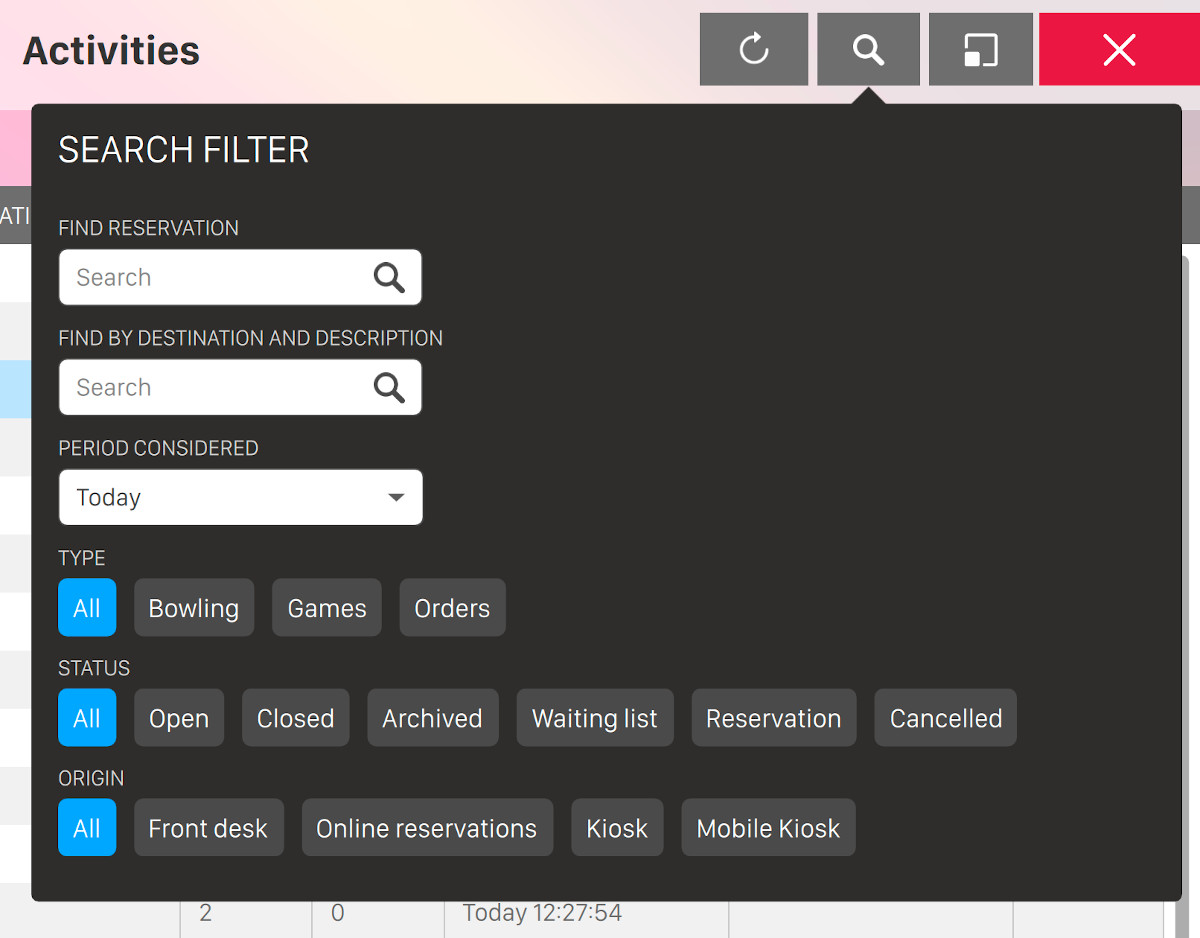
Click on the lens button at the top right of the page to open the filters dropdown:
-
Find reservation: enter some arbitrary text on this field to search inside the reservation information of the activities
-
Find by destination and description: enter some arbitrary text on this field to search inside the destination and description of the activities
-
Period considered: allows you to select a time frame:
-
Today
-
Yesterday
-
Current week
-
Last week
-
Current month
-
Last month
-
Current year
-
Previous year
-
Other: in this case you can use a custom time frame by selecting the begin and the end date and time
-
-
Type: allows you to filter one or more activity types:
-
Bowling
-
Games
-
Orders
-
-
Status: allows you to filter one or more activity statuses:
-
Open
-
Closed
-
Archived
-
Waiting list
-
Reservation
-
Cancelled
-
-
Origin: allows you to filter one or more origins:
-
Front desk
-
Online reservations
-
Kiosk
-
Mobile kiosk
-
9.2 Actions
You can select any activity row by clicking on it. Use CTRL or SHIFT key to select more than one activity line. When one or more rows are selected the action bar will be visible and populated with some actions. The available actions depends on the type and the status of the activity:
-
Details: allows to see the details of the selected item
-
Modify: allows to modify of the selected item
-
Modify order: allows to modify the selected order
-
Game settings: allows to modify the game settings of a bowling game
-
Score: allows to see the score window of a bowling game
-
Move players: allows to move the players of a bowling match
-
Restart: allows to see the restart a bowling match that has been archived
-
Collect: allows to cash the order and takes to the Income window
-
Show purchased items: shows the orders related to the activity
-
Close: close the current activity if the selected activity is open