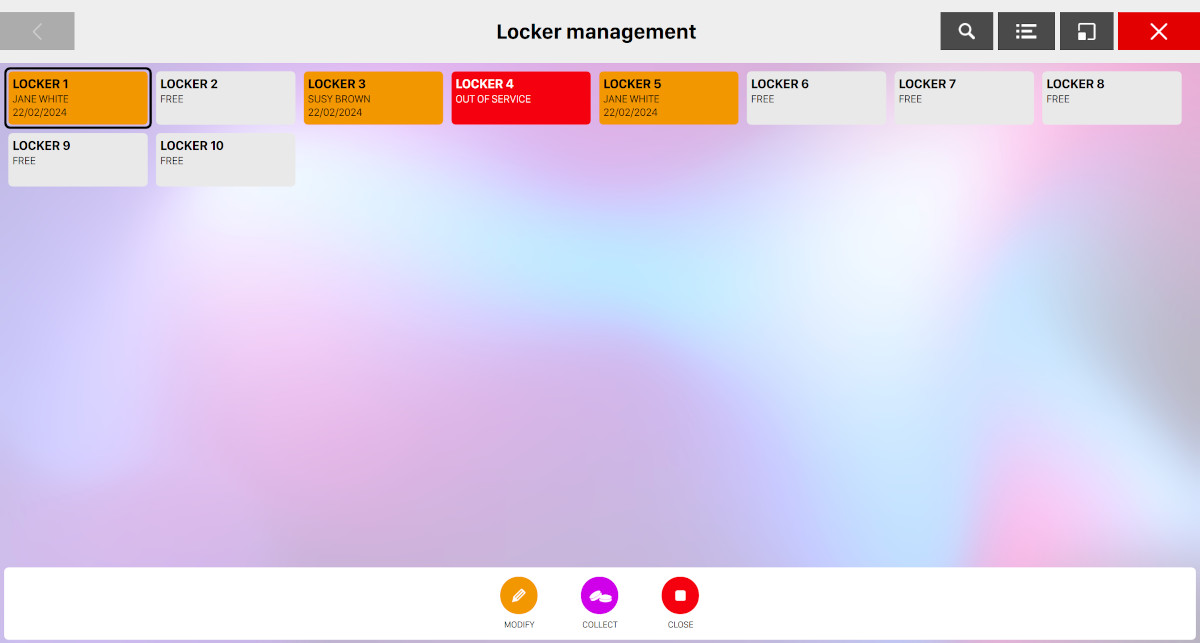
This section allows you to rent the lockers to customers. On the central side of the window you can see the grid of lockers of your bowling center. The following information are shown on each grid item:
-
The name of the locker
-
The Status represented by a specific background color
-
White indicates that the locker is free and ready to be assigned
-
Orange indicates that the locker is currently in use
-
Blinking purple indicates that the locker has expired
-
Red indicates that the locker is out of service
-
At the bottom side you can find a list of buttons:
-
Modify: this button is available only if the selected locker is assigned and allows you to update the details of the rent
-
Collect: if the locker is rented then this button allows you to collect the money for the rent
-
Out of service: if the locker is not rented then this button put the locker in "out of service" state. Click again on this button to remove the status
-
Rent: if the locker is not out of service and is not rented then this button allows you to rent it to a customer
-
Close: if the locker is rented then this button allows you to close the rent
On the right section of the top-bar you can find a button that allows you to switch the current view from grid to list view:
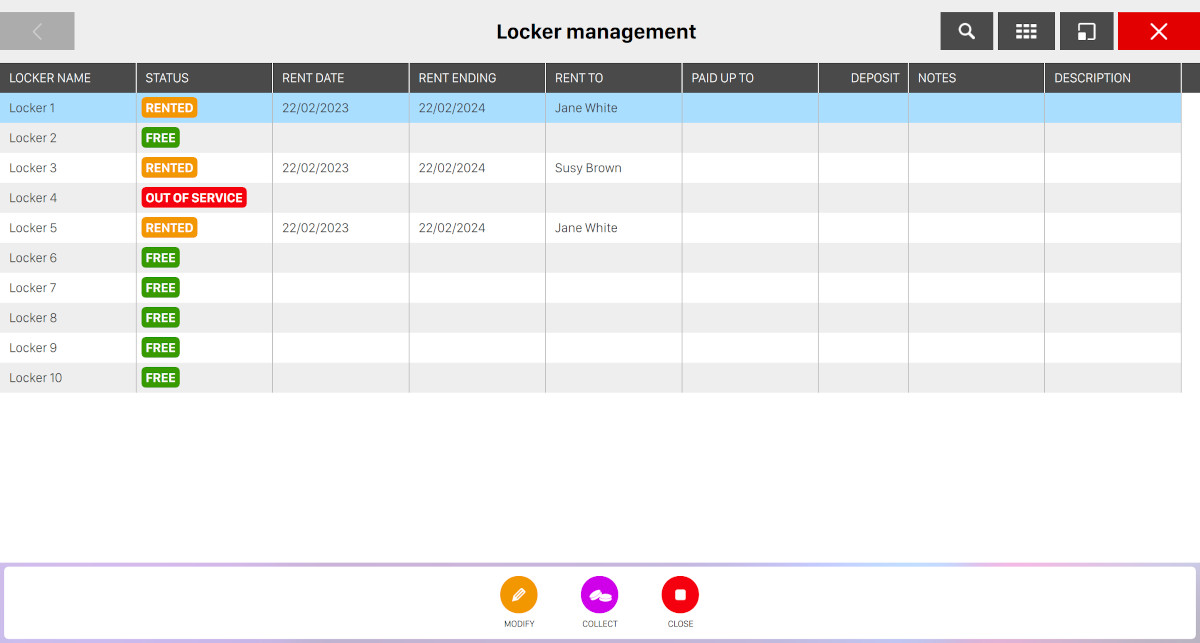
From this view the following information are shown:
-
Locker name: indicates the name of the locker
-
Status: indicates the status of the locker
-
Rent date: indicates the date and time the locker has been rented
-
Rent ending: indicates the date and time the locker rent will end
-
Rent to: indicates the name and the surname of the customer who is renting the locker
-
Paid up to: indicates the date and time until when the locker has been rented
-
Deposit: if deposit has been collected then this column reports the amount of collected deposit
-
Notes: indicates some additional notes of the locker rent
-
Description: represents the description of the locker rent
Click again on the same button to switch back to the grid view.
8.1 Rent a locker
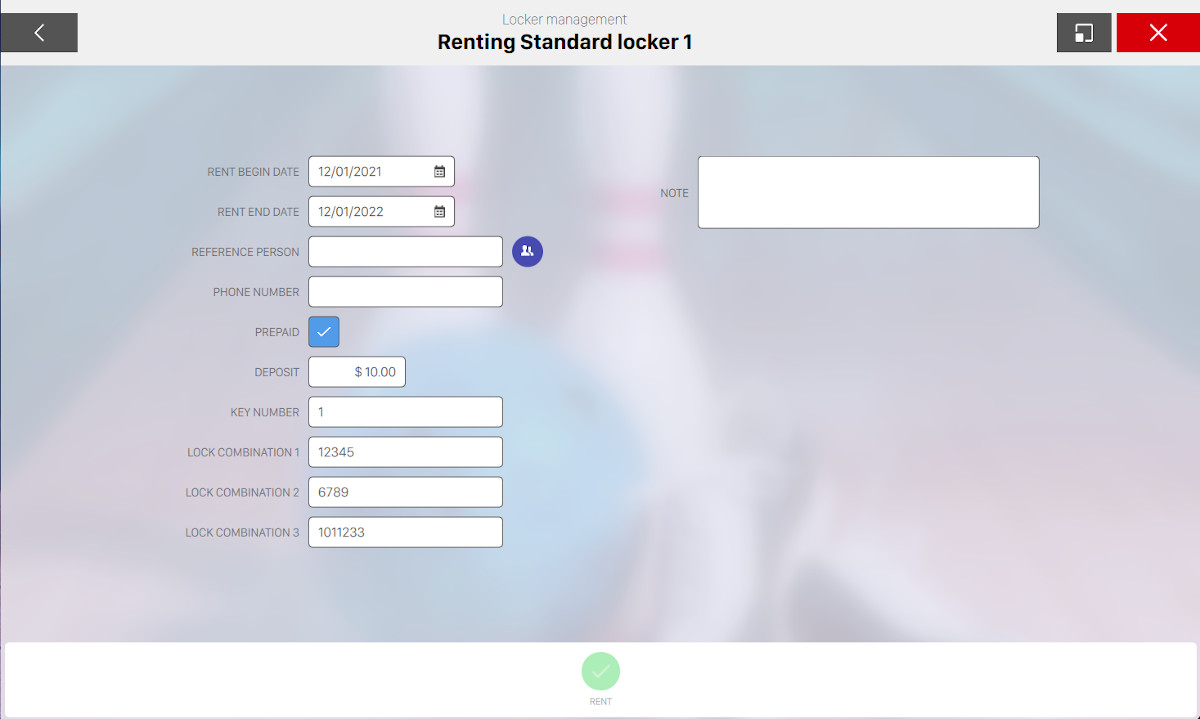
From this window you can customize the configuration of the rent of a locker:
-
Rent begin date: indicates the date when the rent will start
-
Rent end date: indicates the date when the rent will end
-
Reference person: indicates the name and surname of the customer. You can also choose an existing member by clicking on the icon on the right. This will open a popup from where you can select an existing member or create a new one
-
Phone number: indicates the phone number of the customer who is renting the locker. If a member has been chosen on the previous step then this field will be automatically filled with the member’s phone number
-
Prepaid: indicates whether the locker must be paid in advance
-
Deposit: indicates the amount of deposit that the customer must pay at rental time
-
Key number: indicates the number of the key used for the locker
-
Lock combination (1,2,3): indicates the three optional lock combinations
-
Note: represents some additional notes that can be added to the rent
Once you have configured all the fields press Rent button to confirm the rent or click on Cancel to discard the changes.