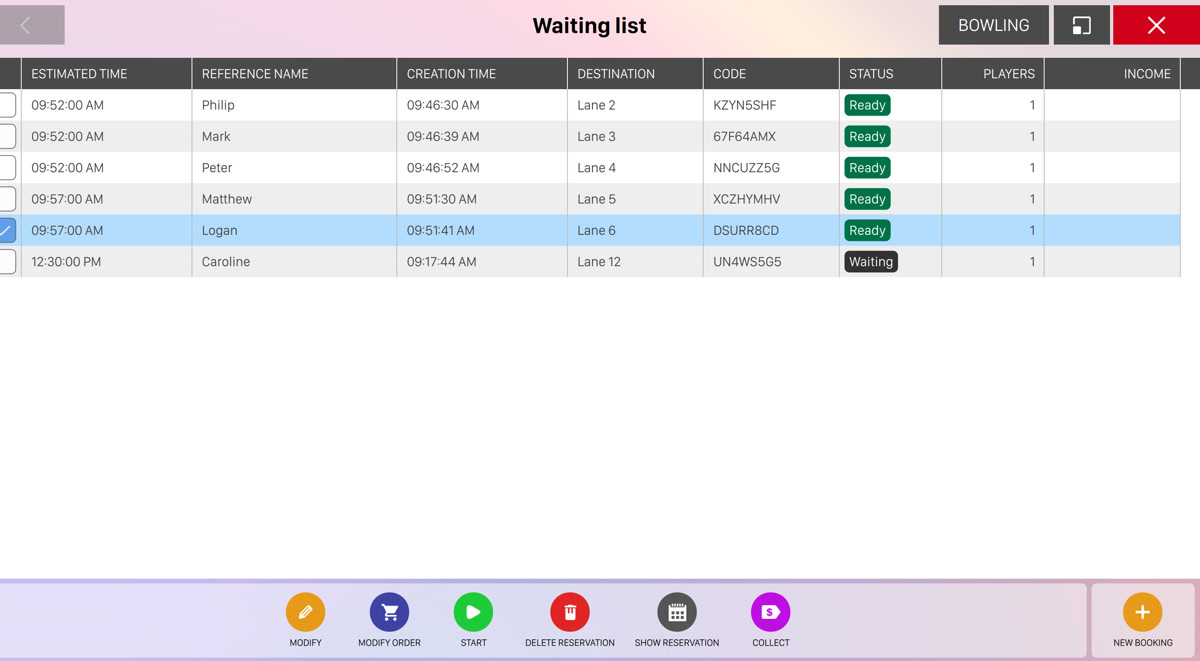
This window allows you to manage the bowling and the time games that are waiting to be started. The list is useful, for instance, when all the lanes are busy and the customers want to reserve lanes or games. The list shows the waiting activities with a progressive number. On the top right of the screen you can see a button that allows you to switch between bowling and time games.
Waiting list is displayed on a table, where each row represents a bowling or time game that is waiting to be started:
-
Click on the checkbox to select one or more item
-
Estimated time: shows the estimated date and start time
-
Reference name: shows the reference name related to the booking
-
Creation time: indicates the date and time when the item has been created
-
Destination: shows the lane number or the game number related to the booking
-
Code: shows the code of the reservation
-
Status: shows the status of the waiting list item
-
Players: shows the number of players related to the reservation
-
Income: indicates the amount of money collected by the activity
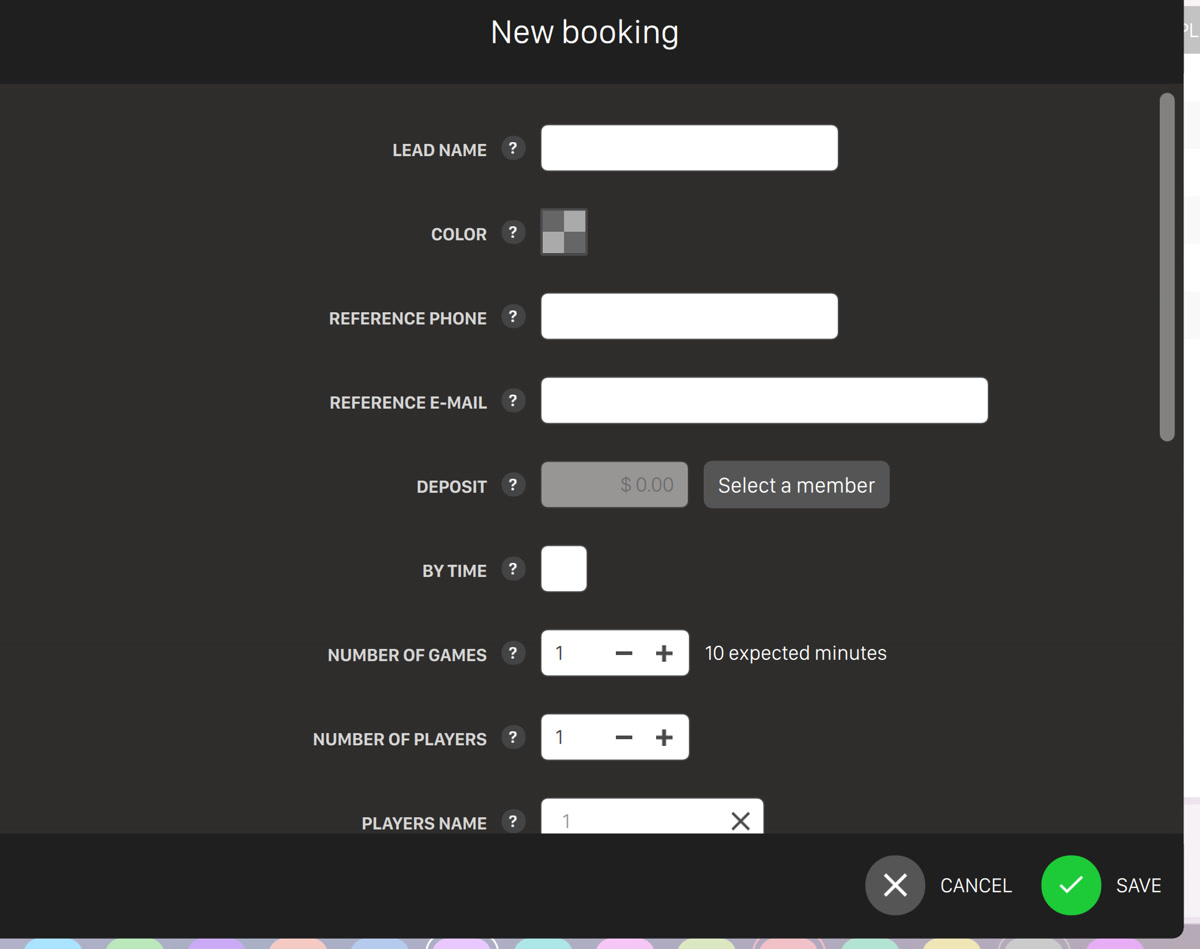
At the bottom right of the screen you will find the new booking button, which allows you to create a new booking:
If you select one or more rows on the table then a list of actions will appear on the bottom area. The list of actions depends on the type and status of the selected item:
-
Modify: allows you to modify the game related to the selected waiting list item
-
Modify order: allows you to modify the order related to the selected waiting list item
-
Start: allows you to start the selected waiting list item
-
Delete reservation: cancel the selected waiting list item(s). If an item has been already paid then a warning message will appear and ask you to confirm the operation
-
Show reservation: allows you to modify the selected reservation
-
Collect: allows you to collect the money of the related waiting list item