This section allows you to control the network devices installed on your system, by performing actions and updating the configurations.
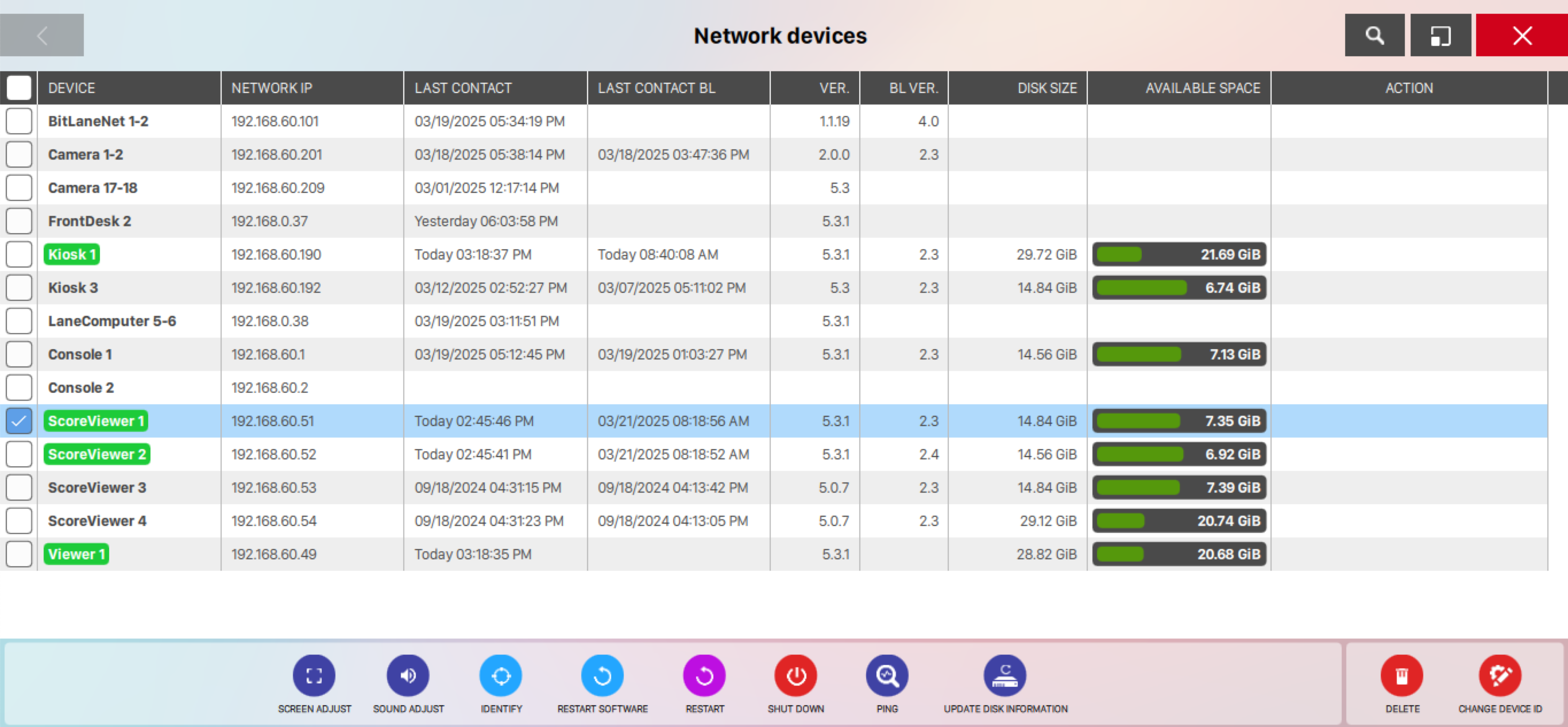
Each line represents a specific device connected to your server and you can see its related information on the columns:
-
Device: indicates the device type and progressive number. Device types can be:
-
ScoreViewer
-
Console
-
LaneComputer
-
Viewer
-
Kiosk
-
Camera
-
FrontDesk
-
BitLaneNet
-
-
Network ip: indicates the ip address of the device on the network
-
Last contact: indicates the date and time of the last contact
-
Last contact BL: indicates the date and time of the last contact of the bootloader
-
Version: indicates the version of the installed software
-
Bl. version: indicates the version of the bootloader software
-
Disk size: indicates the size of the disk mounted on the device
-
Available space: indicates the percentage of available disk space
-
Action: shows a badge displaying the result of the last action that has been performed on the device
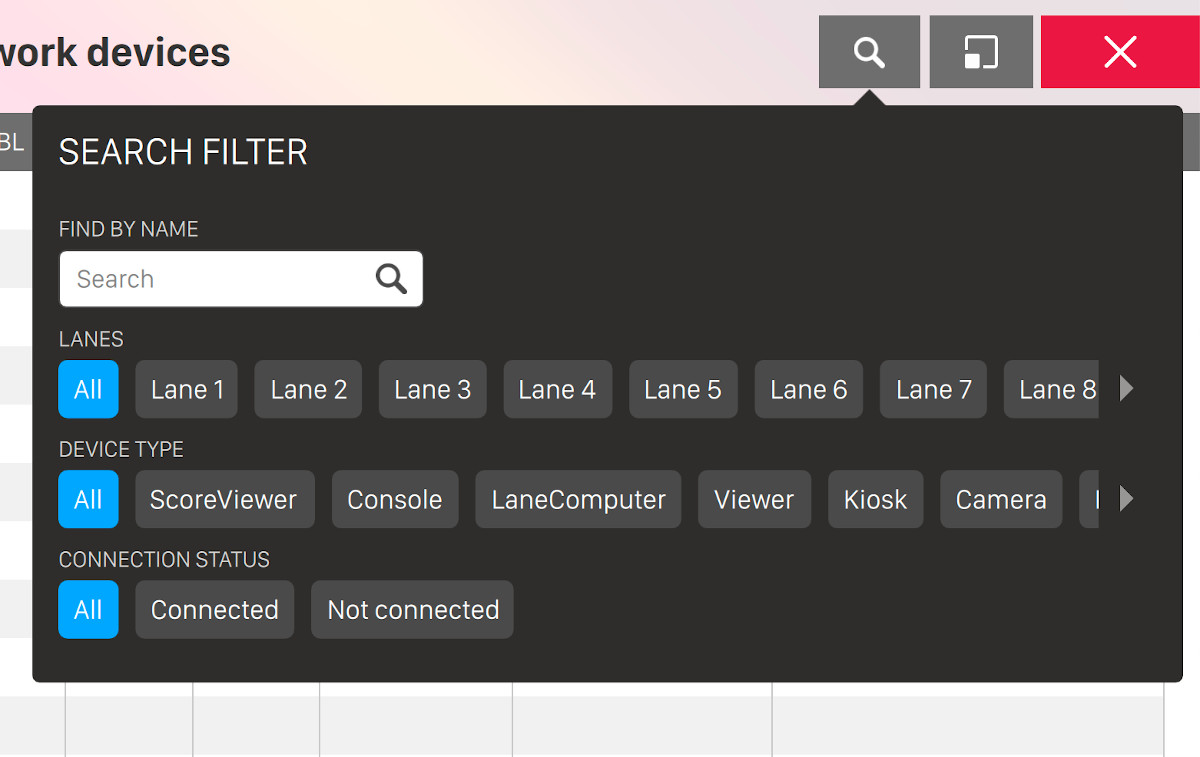
By clicking on the lens icon on the top right of the screen you can see the available filters that you can apply to the current view:
-
Find by name: enter some arbitrary text to filter the list by device name
-
Lanes: select on or more lanes to see the related devices
-
Device type: select one or more device types from the list
-
Connection status: select one or more connection status from the list
Click on a single element or select multiple elements. A list of available actions will appear at the bottom of the screen and the visibility of the actions depends on the type and the status of the selected device(s):
-
Screen adjust: click on this action to adjust the screen settings of the selected device:
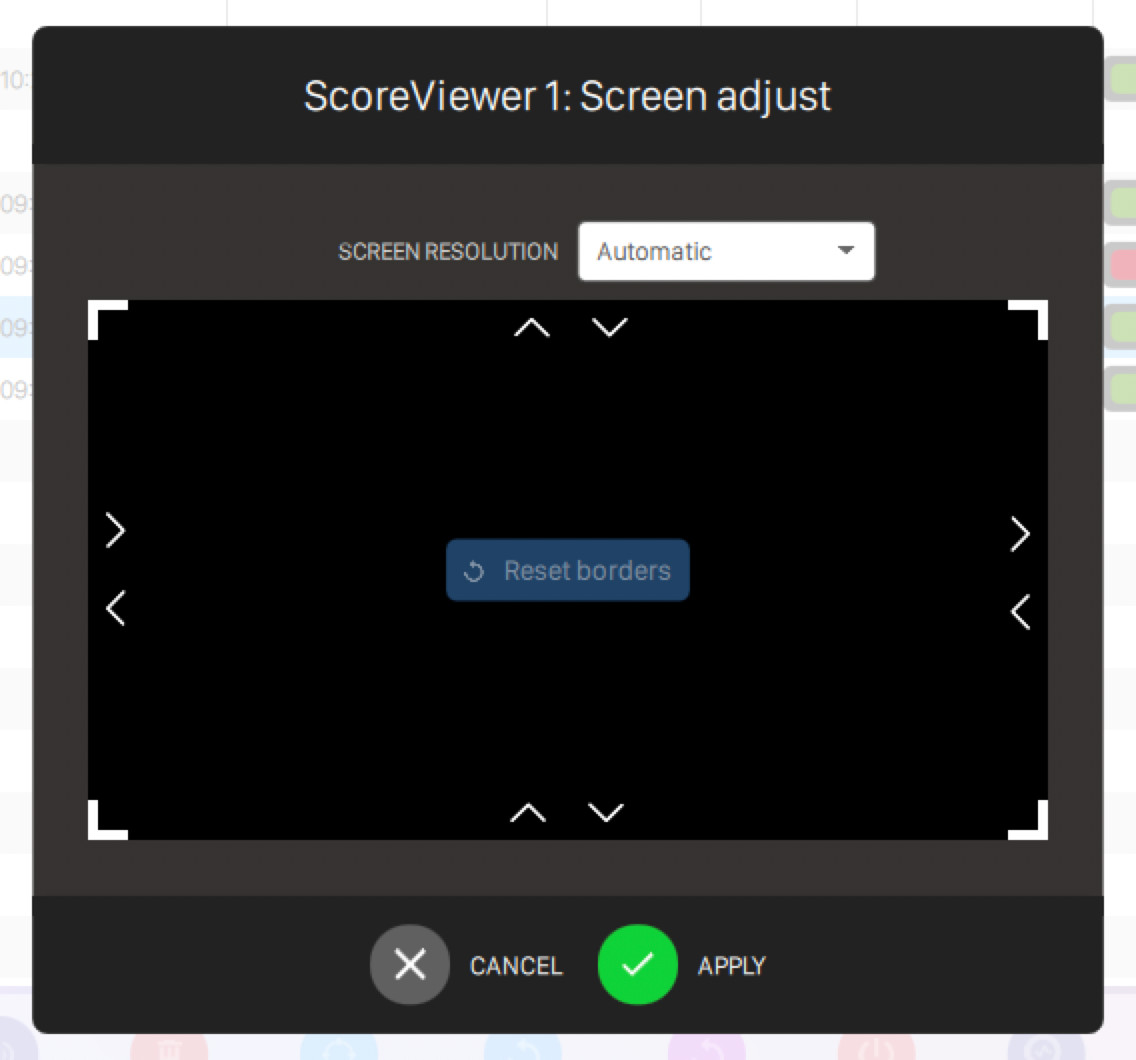
Click on the arrows to expand or compress the edges of the screen and set the screen resolution by choosing it from the available options on the menu
-
Sound adjust: click on this action to set the speaker volume of the device
-
Identify: click on this action to identify the selected device. With this action it is possible to display on the relative screen a graphic asset that will help you to identify the device among the others
-
Start: click on this action to start the selected device
-
Restart software: click on this action to restart the software on the selected device
-
Restart: click on this action to restart the selected device
-
Shut down: click on this action to shut down the selected device
-
Ping: click on this action to perform a ping operation on the selected device. Ping operation will help you to get information about the status of the device network
-
Touchscreen test: click on this action to start a touchscreen test directly on the device
-
Update disk information: click on this action to update the information related to the selected device’s disk
Two more options are separated from others cause of their impact on the device management:
-
Delete: click on this action to remove the device from the list
-
Change Device ID: click on this action to change the device ID